
For years, the gap between a good still photograph and a compelling video clip has felt like a chasm that only professional editors could cross. The tools existed, but they demanded time, skill, and software that most creators simply do not have. Meanwhile, the platforms where we share our work — Instagram, TikTok, YouTube, LinkedIn — have steadily shifted their algorithms to favor motion. Static posts lose visibility. Product images without video previews convert at lower rates. Real estate listings without walkthroughs get fewer inquiries. The pressure to produce video content has never been higher, yet the barrier to entry has remained stubbornly high — until recently. A new generation of image to video ai tools has emerged to challenge that status quo, and after spending considerable time testing one of the more accessible platforms in this space, I came away with a clear picture of what works, what doesn’t, and who stands to benefit most.
The Shift from Static to Motion: Why Video Is No Longer Optional
The numbers tell a straightforward story. Social media posts with video generate significantly more engagement than those with images alone. Product pages that include video previews hold visitor attention longer and convert at higher rates. Real estate listings with video tours receive more inquiries and sell faster. The pattern is consistent across industries: motion captures attention in ways that still images cannot. But the traditional path to video creation — hiring a videographer, learning editing software, or assembling slideshows from templates — has never scaled well for individuals or small teams. This is precisely where AI-driven image-to-video generation has begun to change the equation, offering a middle ground between professional production and amateur slideshows.
My Testing Approach: Real Images, Real Prompts, Real Deadlines
Rather than treating this evaluation like a feature checklist, I approached it the way a working creator would. I collected a mix of images representing the kinds of visuals people actually need to animate: product photos for e-commerce, lifestyle shots for social media, real estate interiors, and travel landscapes. I set a simple rule: no image would receive more than three generation attempts, because in real-world production, you do not have infinite time to chase perfection. I also varied my prompts from vague to highly specific to understand how much control the AI actually offers.
The Three-Step Workflow: What the Platform Actually Does
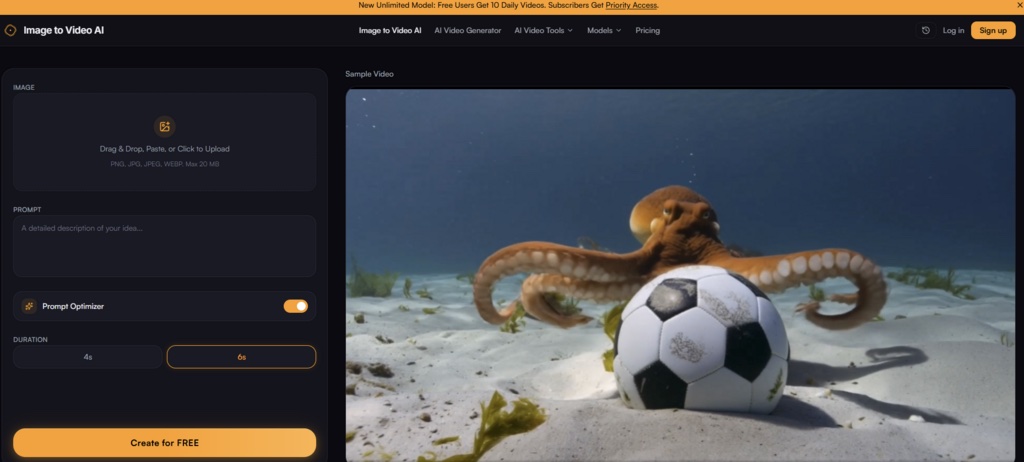
The platform structures the entire process around three clear steps, and this simplicity is one of its strongest assets.
Step 1: Uploading and Framing the Source Image
File Support and the Cropping Tool That Makes a Difference
The upload process accepts JPG, PNG, and WEBP formats with a 20MB file size limit — coverage that handled every image I tested without exception. What surprised me was the cropping and framing tool that appears before generation begins. This is not a throwaway feature; it allows you to compose the shot specifically for the video output rather than letting the AI guess your intended framing. For product photography, this meant I could center the item and remove distracting negative space. For portraits, it allowed me to position the subject according to the rule of thirds. The drag-and-drop interface is responsive and requires no learning curve.
Step 2: Writing the Motion Prompt
The Relationship Between Prompt Specificity and Output Quality
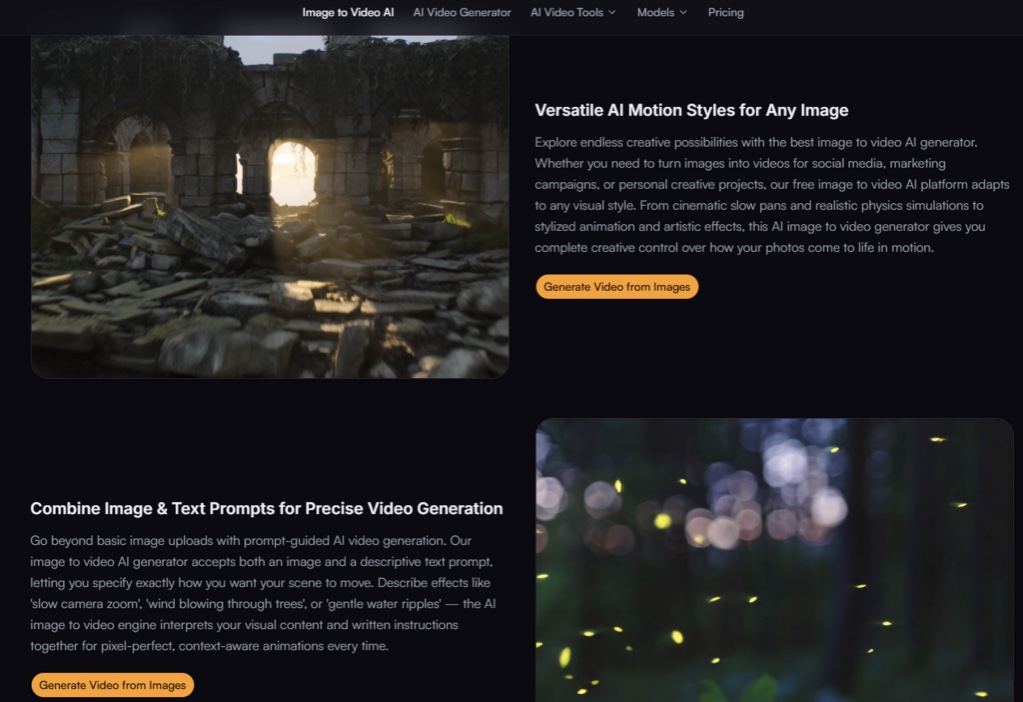
This is where the quality of your result is determined. The platform accepts descriptive text prompts that tell the AI how the image should move. In my testing, prompts like “slow zoom in with gentle cloud movement” produced noticeably better results than generic instructions like “make it move.” The AI interprets both the visual content of your image and your written instructions together, which means the prompt is not an afterthought — it is a primary creative control. The more specific you are about direction, speed, and type of motion, the more the output aligns with your vision. Vague prompts produced motion that felt random or awkward, while detailed prompts yielded clips that looked intentional and cinematic.
Step 3: Generating and Downloading the Final Clip
Speed and the Practical Reality of Output Quality
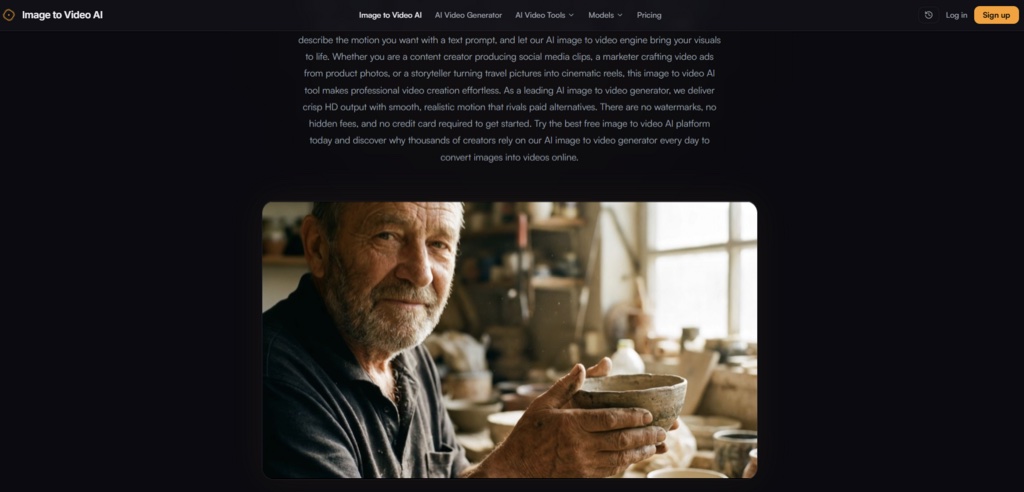
Generation times consistently fell within seconds rather than minutes, which matters when you are producing content at scale. Most clips rendered in under 15 seconds, with occasional longer waits during what appeared to be peak usage periods. The output resolution reaches 1080p, which is sufficient for social media, web embeds, and presentation contexts. The free tier includes a small watermark — visible in the corner but not intrusive — and removing it requires upgrading to a paid plan. In practice, the watermark did not interfere with the main subject of any clip I generated, though for professional branding purposes, the paid upgrade is clearly the better path.
Putting the Tool Through Real-World Scenarios
E-Commerce Product Animations
This is where the tool demonstrated its most practical value. I uploaded a product photo of a leather bag against a clean background. The prompt “slow rotation with soft shadow movement” produced a clip that gave the product a subtle three-dimensional feel without distorting the brand colors or any visible text. For merchants who want to add video previews to product pages without hiring a video editor, this workflow is genuinely efficient. The motion adds visual interest without overwhelming the product itself. The limitation is that the AI does not generate true 360-degree rotation; the motion is more of a gentle pan or push. For many product categories, this is sufficient, but for items that benefit from full rotation, you would need multiple passes or a different approach.
Social Media Clips from Lifestyle Photography
For creators who need to turn travel photos or behind-the-scenes stills into engaging social media content, the tool offers a practical shortcut. I tested it with a street photography image featuring strong leading lines and architectural detail. The prompt “slow dolly zoom with atmospheric haze” produced a clip that felt intentionally directed rather than randomly animated. The depth mapping was convincing enough that the clip could pass for a carefully edited video pan. The downside: the AI does not consistently preserve fine details like text on signs or facial expressions in portraits. If your image contains critical small text or recognizable faces that need to remain sharp, the results may vary.
Real Estate and Property Tours
Real estate agents stand to benefit significantly from this type of tool. Listing photos, when animated with subtle motion like gentle pans or slow zooms, become more engaging previews that hold potential buyers’ attention longer. In my testing, a static interior photo transformed with a “slow camera push forward” prompt produced a clip that felt like a walkthrough rather than a slideshow. The motion was smooth, and the room maintained its spatial integrity without warping. The tool does not replace professional video walkthroughs, but it offers a cost-effective alternative for agents who need to produce preview clips quickly from their existing photo libraries.
The Free Tier vs. Paid Upgrade: A Practical Comparison
| Aspect | Free Tier | Paid Tier |
| Daily video generations | 10 per day | Unlimited with priority access |
| Output resolution | Up to 1080p | Higher resolutions available |
| Watermark | Small watermark present | No watermark |
| AI model access | Standard model | Premium models |
| Processing queue | Standard priority | Priority processing |
The free tier provides genuine utility without requiring a credit card, which lowers the barrier to experimentation. Ten daily generations offer enough room for testing prompts, refining outputs, and understanding how the tool responds to different image types. The watermark is present but does not obscure the main subject. For professional use — particularly for brands, agencies, or anyone publishing content that represents a business — the paid upgrade removes the watermark and unlocks priority processing, which can be valuable during high-volume production periods.
Where the Tool Excels and Where It Has Limits
Strengths Observed in Testing
The platform’s primary advantage is accessibility. The three-step workflow requires no prior video editing experience, and the learning curve is measured in minutes. Generation speed is genuinely fast, and the output quality at 1080p is clean enough for most digital distribution channels. The prompt-based control system gives users meaningful creative input without requiring technical knowledge of animation or cinematography. For creators who need to produce video content at scale from existing image libraries, this tool removes a significant bottleneck.
Limitations Worth Understanding
The tool is not a substitute for professional video production. Prompt quality heavily influences results — vague or poorly structured prompts produce mediocre motion. Complex images with multiple subjects, intricate backgrounds, or fine text may require multiple generation attempts to achieve a satisfactory result. The AI’s understanding of physics and depth is impressive but not infallible; occasional artifacts, edge warping, or unnatural motion patterns do appear, particularly on challenging source material. The platform does not offer fine-grained control over motion parameters like speed, direction, or intensity beyond what the text prompt can convey.
Who Benefits Most from This Approach
From a practical user perspective, this ai image to video generator is most valuable for social media managers producing daily content, e-commerce operators adding motion to product catalogs, real estate agents creating listing previews, and beginner creators who want professional-looking results without learning professional tools. It is less suited for professional video editors who require granular control, or for projects where absolute visual fidelity and artifact-free output are non-negotiable. The platform occupies a useful middle ground — more sophisticated than template-based slideshow tools, more accessible than full-featured video editing suites.
The Bottom Line: A Practical Tool for a Practical Problem
After running multiple test scenarios across different image types and prompt styles, the conclusion is straightforward: this tool does what it promises, within clearly defined boundaries. It transforms static images into dynamic clips quickly, offers meaningful creative control through text prompts, and delivers clean 1080p output that works for social media, web, and presentation contexts. The free tier provides genuine utility, and the paid upgrade path addresses the main limitations — watermark removal and priority access. The results are not perfect every time, and the tool’s effectiveness depends heavily on the quality of your source image and the specificity of your prompt. But for the vast majority of everyday creative tasks, it offers a practical, time-efficient solution that bridges the gap between still photography and video content.