


A character illustration can settle the look of a costume long before it settles the look of a scene. When I think through an independent film concept, I want to know more than what the character wears. How much space does the character occupy? Does the camera follow or wait? What changes when the body starts moving?
GoEnhance AI is a browser-based platform for creating and editing AI images and videos. I would use an image to video generator as one way to explore those questions from a still image. A generated clip can suggest a direction for a shot, but I would judge it as a concept study, not as a finished scene.
Find the Scene Hidden in the Still
Before introducing movement, I look at what the artwork already implies. A character standing near the edge of a frame suggests a different camera move from one facing the lens. A heavy coat, a narrow hallway or strong side lighting can each affect the action that feels believable.
I write down one question for the image to answer. Perhaps I want to see whether a slow camera approach makes the character look threatening. Perhaps I need to know whether a turn would reveal a useful costume detail. A short motion study is easier to evaluate when it has a purpose that specific.
The same principle appears in conventional preproduction. Adobe’s guide to storyboarding describes how framing and shot choice help communicate a screenplay visually. I use that idea when looking at AI motion: the movement has to tell me something about the intended shot, not merely prove that the still image can move.
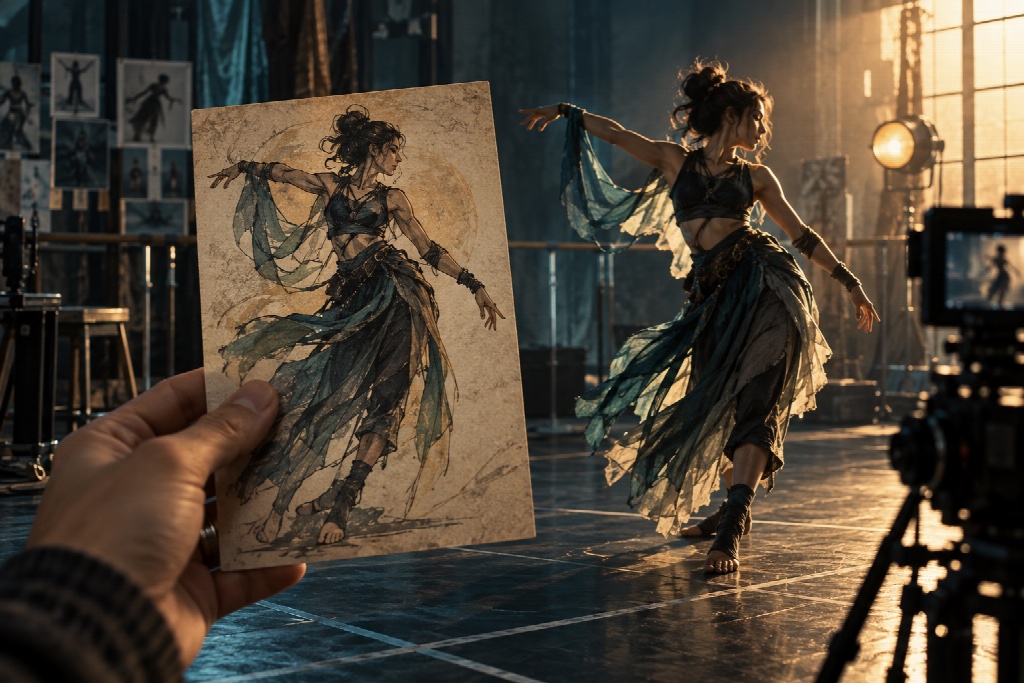
Give the Character a Reason to Dance
Dance introduces a different set of questions. It reveals posture, pace and personality much faster than a static pose can. A restrained character moving with surprising confidence might change how I imagine an introduction; an energetic design might feel more convincing with smaller, deliberate gestures.
An AI dance generator can transfer movement from a reference video to a character image. For this kind of exploration, I would choose a reference for its movement quality rather than its popularity. Does it have the weight, timing and direction the scene needs? A fast routine is of little use if I am trying to find a quiet, uneasy moment.
The source image matters too. If I want to inspect full-body movement, I need to see enough of the figure to evaluate the arms, feet and silhouette. A close portrait may work for an expression study, but it gives me less information about choreography.
Build a Sequence, Not Just a Striking Clip
One attractive shot can conceal a weak scene. I would place the moving concept beside the shots it needs to connect: an establishing view, the character’s entrance and the moment that follows the action. Does the screen direction make sense? Is there room for a cut? Does the movement reveal something the preceding image did not?
That is where a shot plan becomes valuable. Adobe’s shooting-script guide describes the practical need to identify what each shot will show and what action it contains. Even for a brief experimental sequence, I find those questions more useful than collecting unrelated visual effects.
Know What the Experiment Has Answered
I would review each clip for a specific result: camera placement, character attitude, costume motion or the rhythm of a possible edit. I would also note what it cannot settle. Generated movement can distort hands, change details between frames or suggest a physical action that would work differently on set.
For an independent filmmaker, the value of a motion experiment lies in the next decision it makes easier. If it helps me reject an awkward angle, choose a calmer movement or explain a dance idea to a collaborator, it has done its job. The scene still needs the filmmaker’s eye to give that movement meaning.