


Independent filmmakers have always found ways to present an idea before they have the funds to shoot it. A director might gather reference photos for a pitch deck, sketch a location from memory, or create a rough poster while the film is still being edited. Generative image tools offer another option, but their most useful role is more limited than the technology might imply; they help a team test visual choices before investing time and money.
That difference is important. An AI image can suggest how a scene might look, but it cannot replace a cinematographer’s expertise, a production designer’s research, or a photograph taken on set. When a small team keeps these limitations in mind, generation can make pre-production discussions clearer and help modify approved artwork for various formats without starting over.
Start with the question behind the image
A vague request such as “make this look cinematic” usually produces attractive but unfocused results. The better starting point is a practical question. Should the room feel cramped or exposed? Does the poster need to emphasize the actor or the location? Would colder lighting make the thriller’s central relationship feel too distant?
A useful brief can be short. Name the subject, period, emotional tone, lighting direction, colour references, and anything the image must avoid. If a real location, costume, or prop has already been chosen, use photographs of those elements as references rather than asking the model to guess.
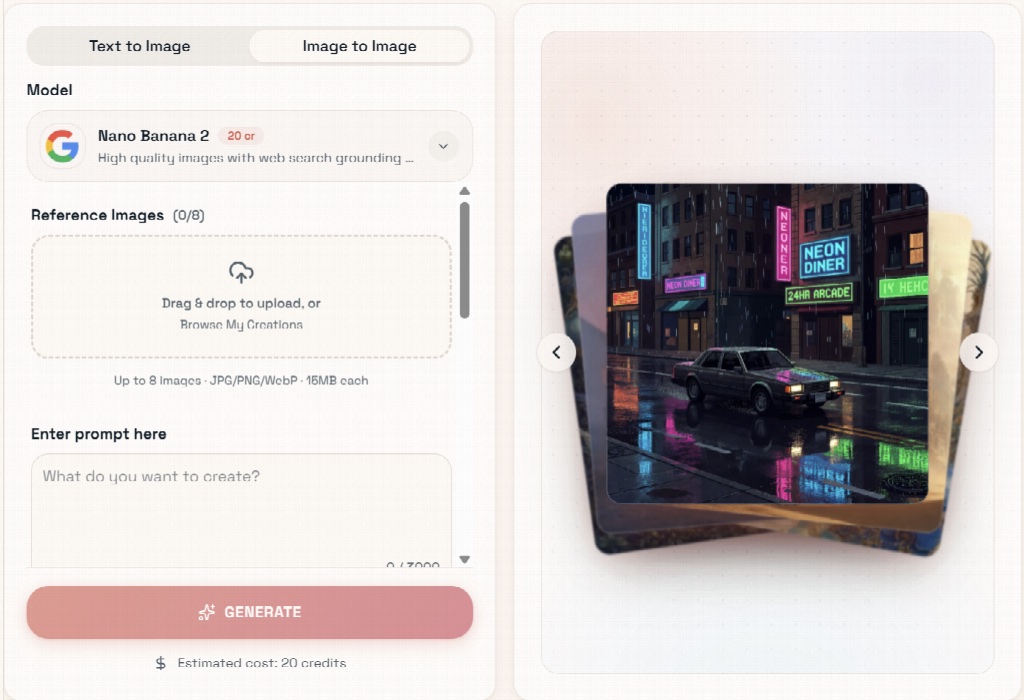
Pixlio’s AI image editor supports both text-to-image and image-to-image work, so a filmmaker can begin with a written concept or an existing frame. It also provides access to several image models instead of locking every task to one system. That matters because a model that handles a stylized mood frame well may not be the best choice for preserving a face or following a detailed composition. Aspect ratio, style, output format, and seed controls give the team ways to repeat or refine a direction once they find one worth developing.
Use generated frames as discussion material
During development, the image does not need to look like a finished film still. It needs to make a choice visible. A generated version of a kitchen with harsh overhead light can help the director and cinematographer discuss shadows. A rough street scene can expose whether a proposed colour palette clashes with the costumes. A poster study can show that a supporting character is receiving more visual weight than the lead.
These images work best when everyone on the team knows what they are. Label concept art as concept art, especially when a realistic image includes people who were never photographed in that setting. A pitch deck should not leave an investor, crew member, or potential distributor wondering whether an image came from the actual production.
There is also a creative risk in polishing too early. A persuasive concept frame can quietly become a rigid target, even when it was based on an impossible location or lighting setup. Keep the original brief beside the image and note which parts are approved. The image should support a conversation about the look, not settle it prematurely.
Adapt artwork without rebuilding the composition
Film artwork rarely stays in one shape. A landscape festival banner may later be needed as a vertical social story, a square streaming thumbnail, or a phone wallpaper. Cropping is fast, but it can cut into an actor’s face, remove negative space around a title, or make a balanced composition feel crowded.
An AI image extender can add new space around an existing image rather than enlarging or stretching it. Pixlio includes preset frames for stories, banners, squares, portraits, and phone wallpapers, and users can choose which edges to expand and where the original sits inside the new frame. If the title needs more sky above a character, there is no reason to regenerate the floor and both sides as well.
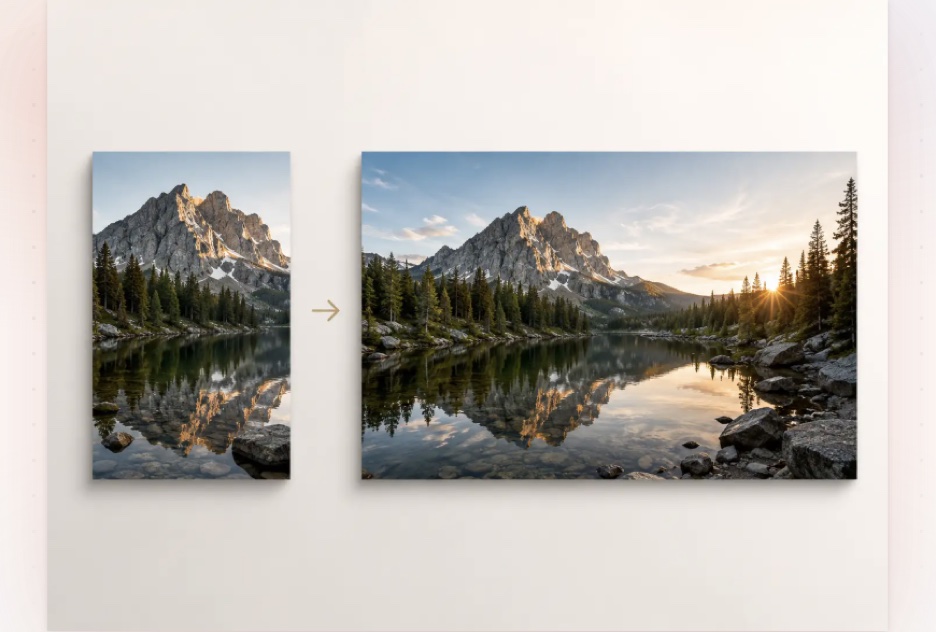
The original image remains at the centre of the process while the tool generates the missing surroundings. A comparison view helps the user inspect the boundary, and an unsatisfactory expansion can be retried without rebuilding the entire setup. This matters with gradients, architecture, patterned walls, and other backgrounds where even a small seam can draw attention.
Review at the size people will see
A convincing image on a large monitor may fail as a thumbnail. Faces become harder to read, title space disappears, and small flaws near an extended edge can become unexpectedly obvious after compression. Review every version at its intended display size. The poster, festival listing, social card, and press-kit image each need their own check.
Someone other than the person who generated the image should do a final pass. Look for altered facial features, broken hands, inconsistent reflections, invented text, implausible architecture, and period details that do not belong. If the image depicts a real person, production, or event, check whether using synthetic material could create a false impression. In some cases, the right decision is to use a set photograph or commission an illustrator instead.
Most of this work eventually feeds something that moves. Once approved concept frames and artwork become the basis for a teaser or festival promo, tools like invideo agent help teams carry those references and visual decisions into video, keeping the creative direction connected instead of rebuilding the vision shot by shot.
AI image tools are most helpful when they solve a narrow production problem, whether that is showing an idea before the budget allows for it, testing a treatment before the shoot, or fitting approved artwork into a different layout. They become less useful when the team relies on them for taste and context that only a human decision can supply. Those choices still belong to the filmmakers, and the finished visual should be something they can explain as clearly as any other decision on screen.